
A closer look at your working day in LeadFetch
LeadFetch is booking software for independent UK dog groomers. It brings booking requests, your calendar, customer and pet records, payments and conversations into one place, while your business keeps the final booking decision.
This short screenshot tour shows actual LeadFetch screens with fictional records. Open each screen for a closer look. It illustrates the workflow without using a real salon's customer data.
On this page
1. Review the dog and the requested service
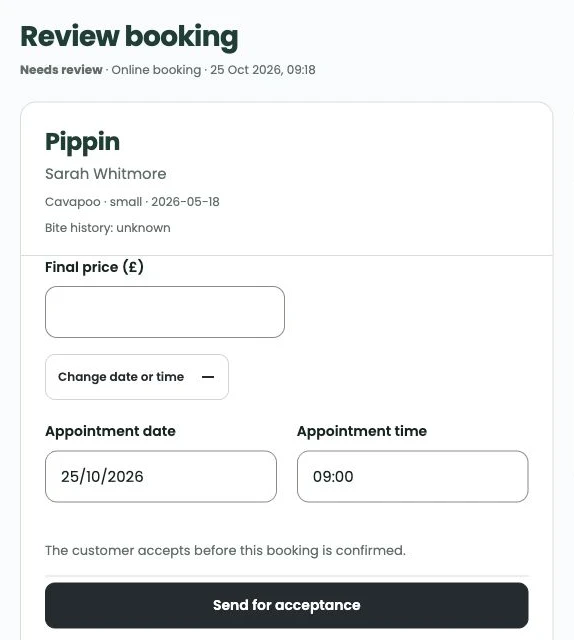
Start with the request. Review the customer's details, the dog, coat and handling notes, and the service being discussed. Agree the price and time needed rather than treating the customer's enquiry as a final booking.
This fictional request shows Pippin’s details in the current Review booking screen. The groomer sets the final price and appointment time before sending it for the customer to accept. The example records are demonstration data, not a customer story.
View the request review screen
2. Check your diary before agreeing the visit
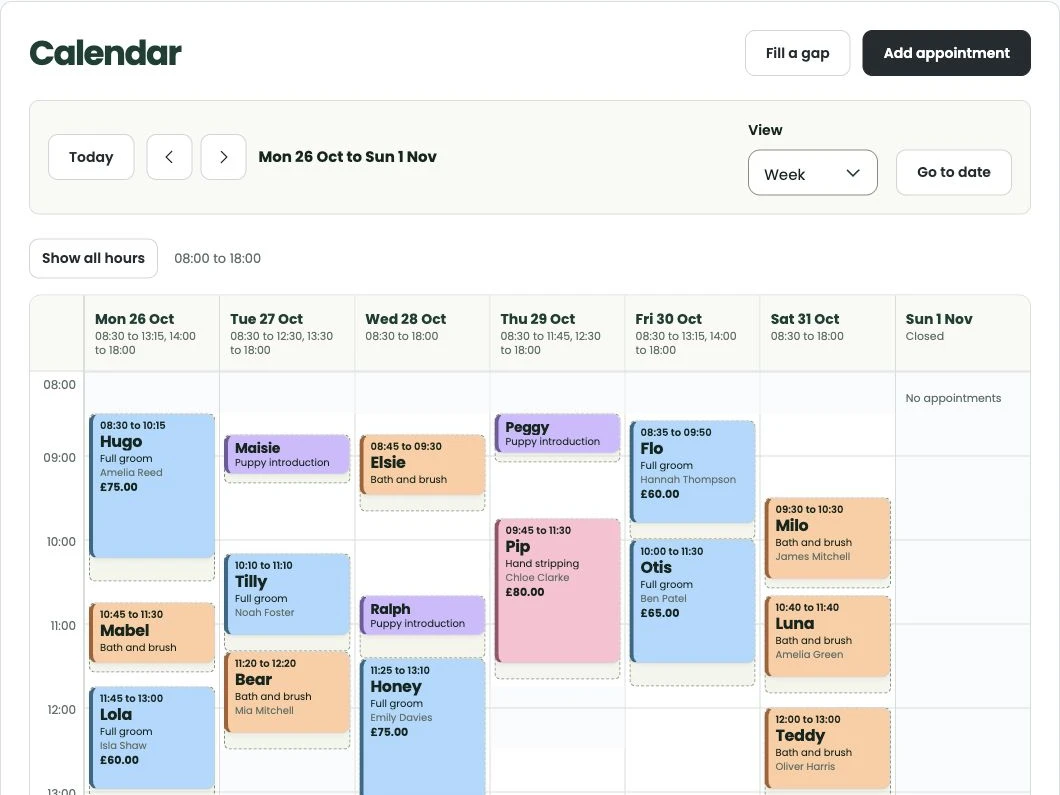
Use the calendar to review the day and the appointments already in it. Think about the length of the service, preparation and clean-up time, and the needs of the individual dog before agreeing a suitable slot.
The diary brings the schedule into view. It does not decide whether a particular groom is suitable for your salon.
View the calendar screen
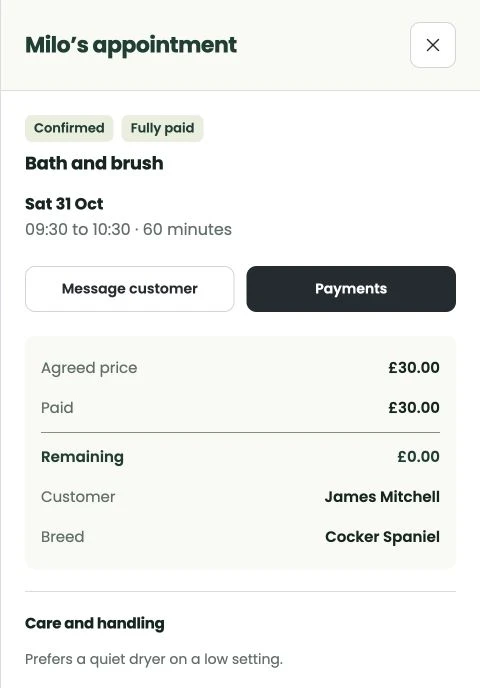
3. Keep the agreed appointment details together
Open the appointment to review the customer, pet, service, time and agreed price. Keep relevant notes and conversations connected to the visit so you can refer back to what was discussed.
Review any requested payment step and the appointment status before telling the customer that the booking is confirmed. A saved card or successful deposit is not, on its own, an appointment confirmation.
View the appointment screen
Set up the parts your salon needs
Prepare your services and working hours, decide on payment choices and review customer messages before sharing your booking page. Stripe connection is needed for the relevant online payment features; WhatsApp is optional and needs its own ready connection and approved templates.
For the current subscription and trial, use the pricing section on the main website. The setup guide includes a free checklist you can print before getting started.
Bring your bookings into one place
Set up LeadFetch around the way your grooming salon works.
Try LeadFetch